 FleetDesk
What it does, in the order a load moves.
Rate con in. Money collected. Quarter closed out. Here is each step, what it replaces, and a real screenshot.
The load builds itself from the rate con.
Upload the rate con as a PDF or a photo. Broker, PO, pickup and delivery, dates and rate are read for you to check. Search by PO, broker, city or driver, and filter by broker or status.
Replaces: retyping rate cons into a spreadsheet.
Loads: all plans · Rate con upload: Fleet, Pro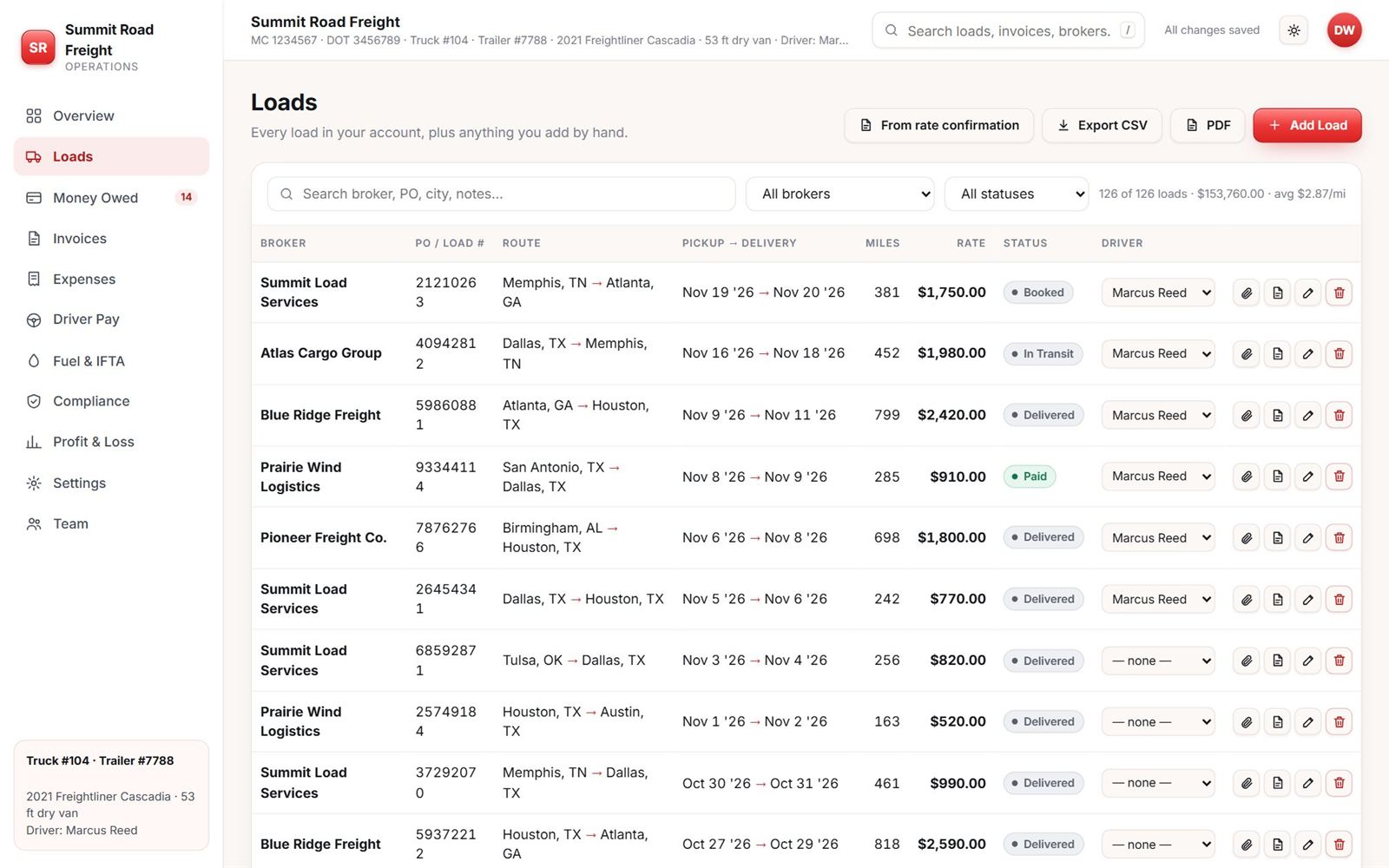
Assign a load from a dropdown. The driver gets it on his phone.
Drivers see their own loads, notes, pay and fuel. They never see your rates, invoices or other drivers. They can scan fuel receipts and upload the BOL from the phone. Owner, co-owner and dispatcher logins are separate.
Replaces: texting load details and chasing BOL photos.
Driver app: Fleet, Pro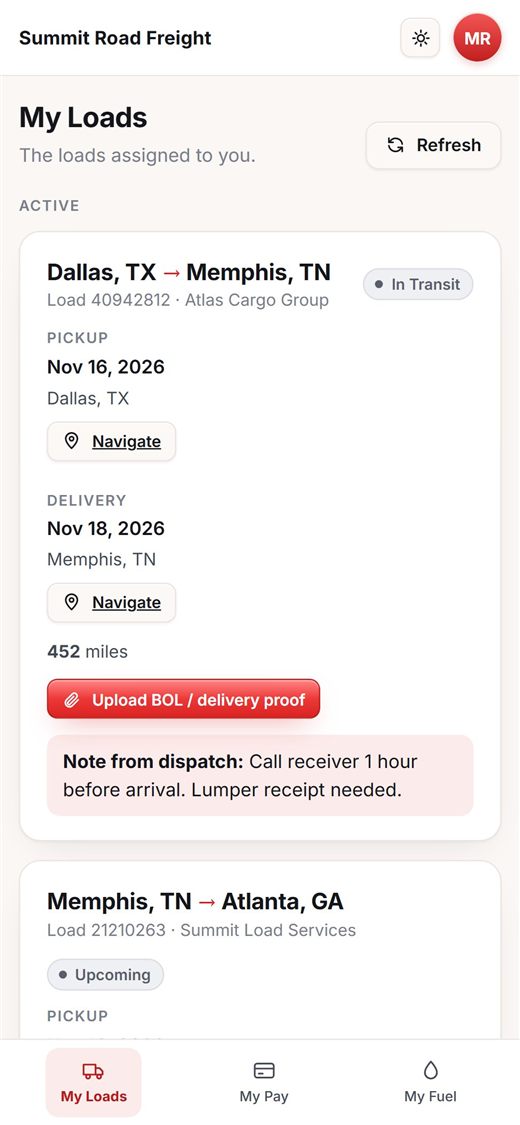
One PDF with the invoice, rate con and BOL.
Pick a broker and the loads to bill. The invoice, the signed rate con and the BOL go in one PDF, with an email written for you. It opens your mail app. You attach and send.
Replaces: a Word template and the hunt for the paperwork.
Create and send: Fleet, Pro · View: all plans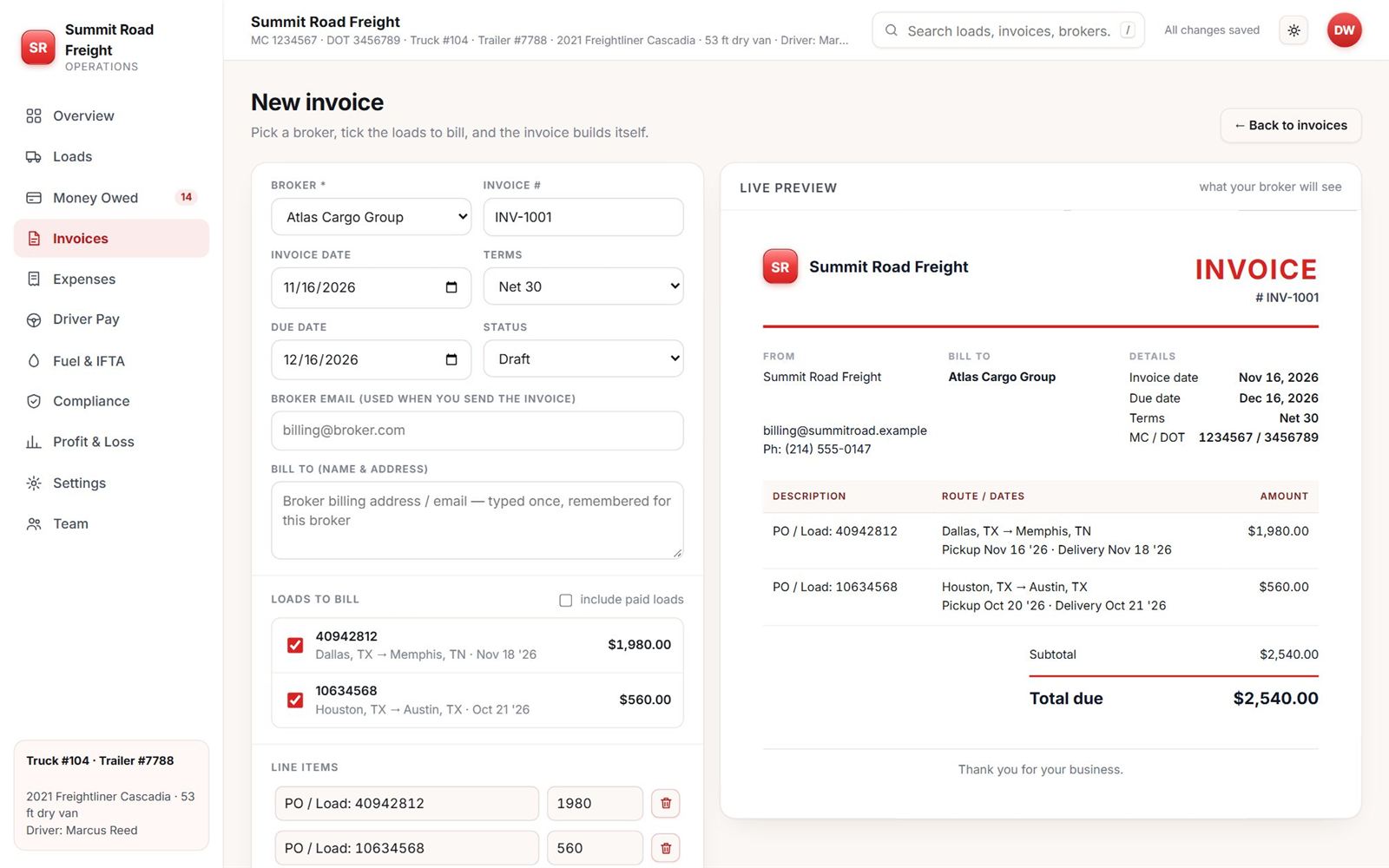
Every broker, and how long they have had your money.
Unpaid loads grouped by days out. Factoring tracking for advances, reserves and fees. A reminder text for the broker is a click away.
Replaces: the scroll through your sheet to find who owes you.
Money Owed: all plans · Reminders: Fleet, Pro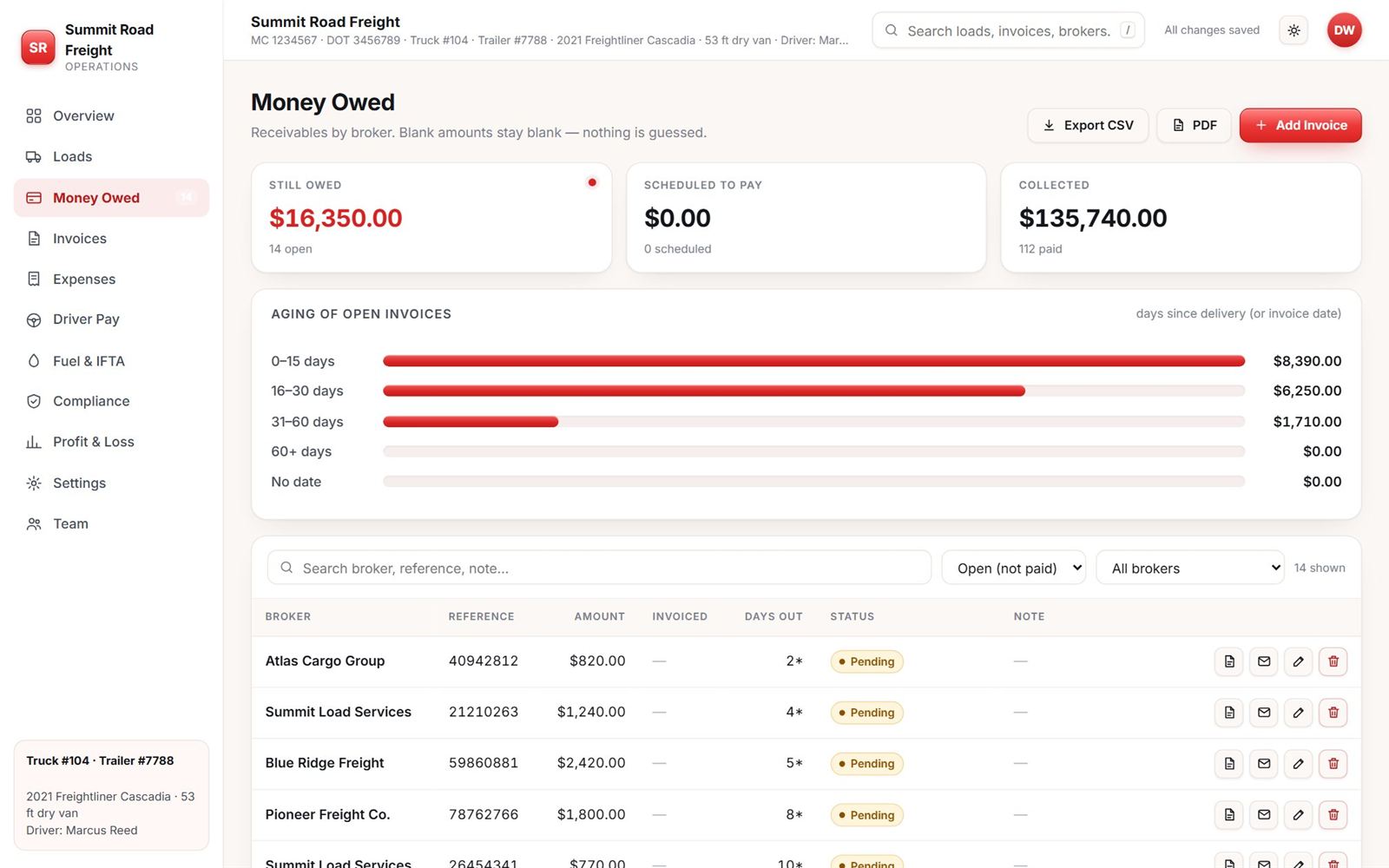
The driver’s pay, worked out from the loads.
A per-mile rate, a date range and the miles from your loads. Add extras like layover. Record the payment and the next one starts where this one ended. The rate on screen is a sample setting, not a promise.
Replaces: a calculator and a notes app.
Fleet, Pro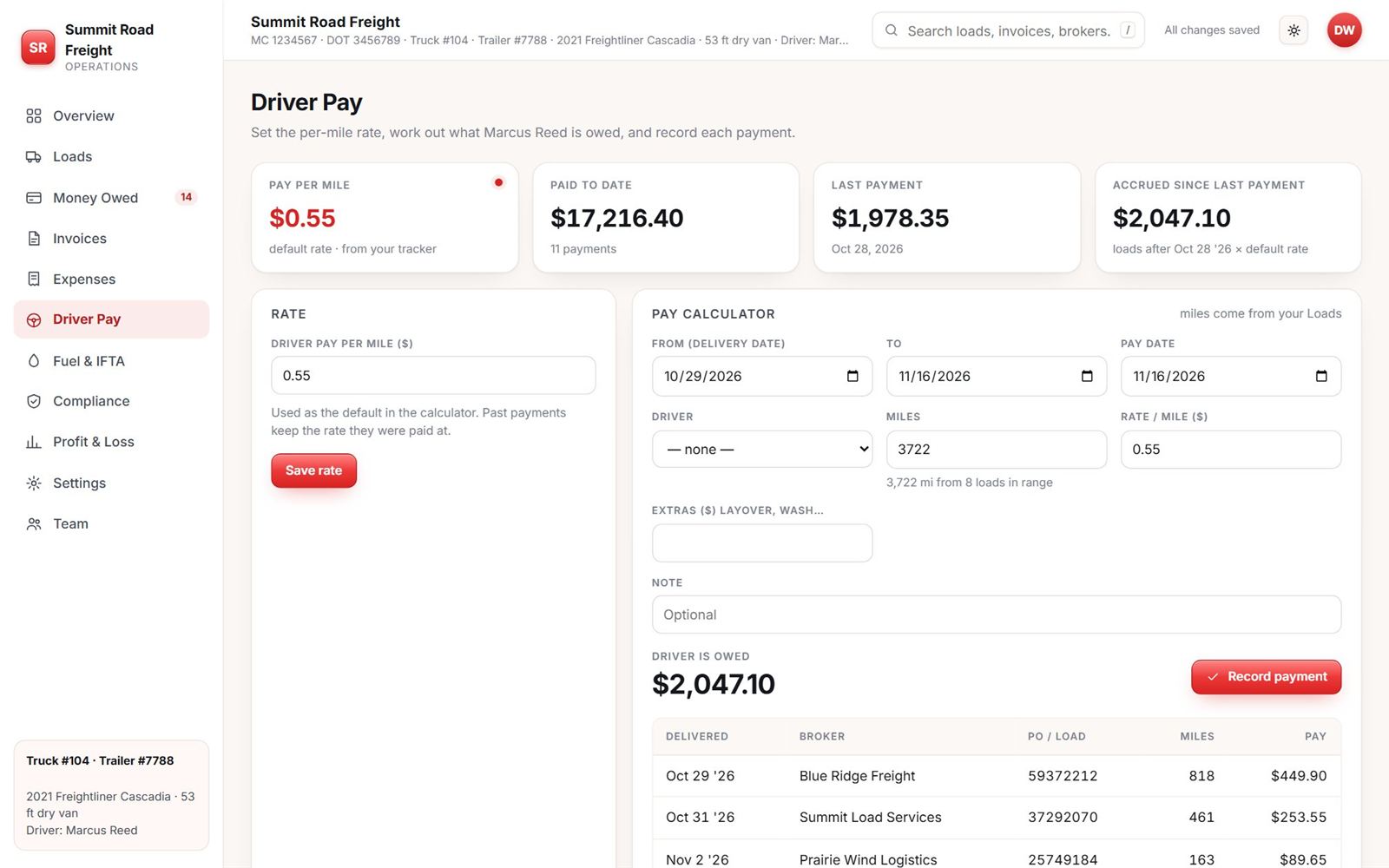
Receipts in. Gallons by state tallied.
Log fuel by hand or scan the receipt. Add miles by state and get the tax estimate per state. It does not file your return. That stays with you.
Replaces: receipts in the glovebox and an 11 p.m. spreadsheet.
Fuel log + IFTA estimate: all plans · Receipt scan: Fleet, Pro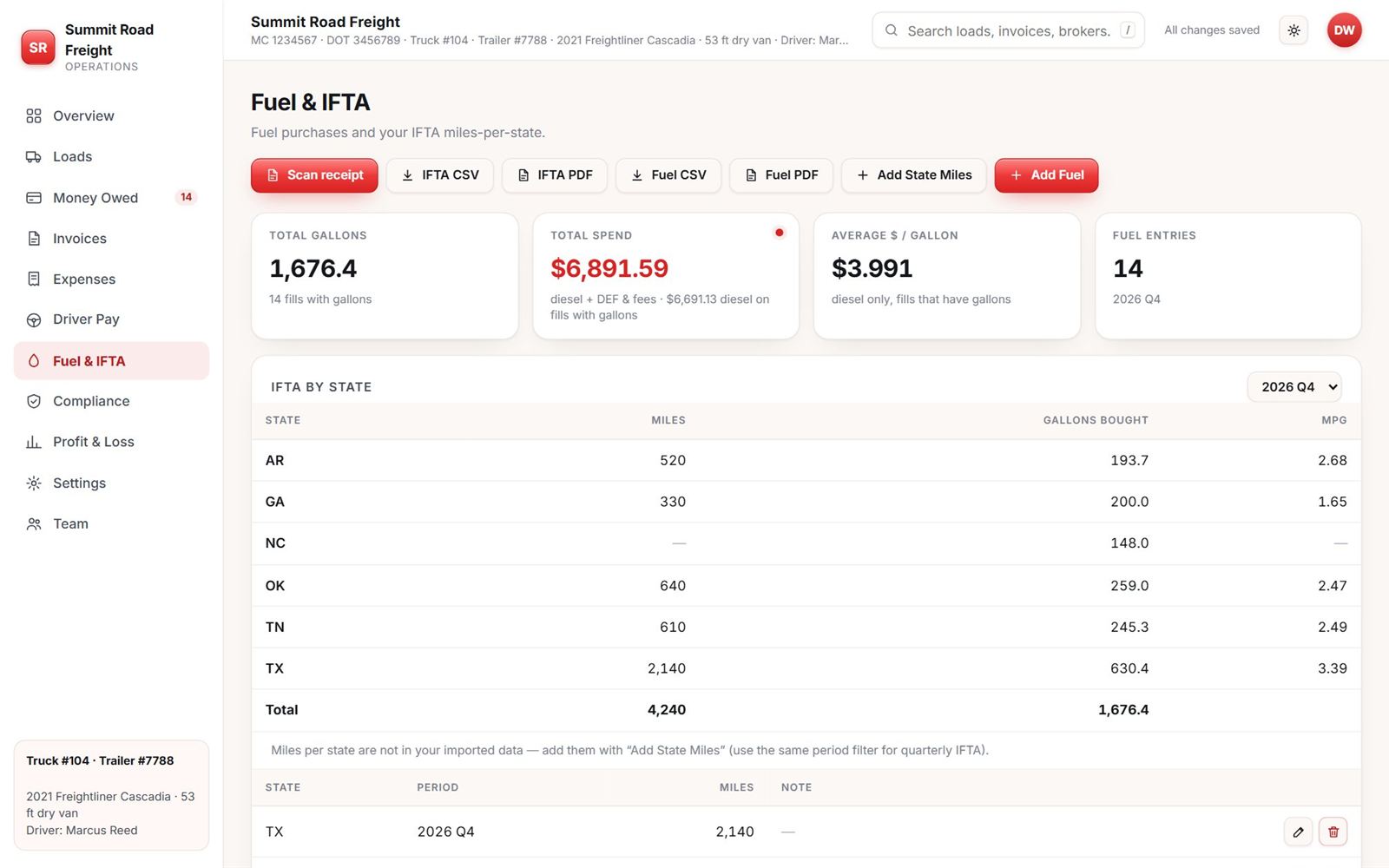
What each load actually paid after fuel and the driver.
Revenue, fuel, driver pay and fixed costs by month, and profit per mile. It is a plain look at the truck, not accounting software.
Replaces: guessing from the bank balance.
Profit & Loss page: Pro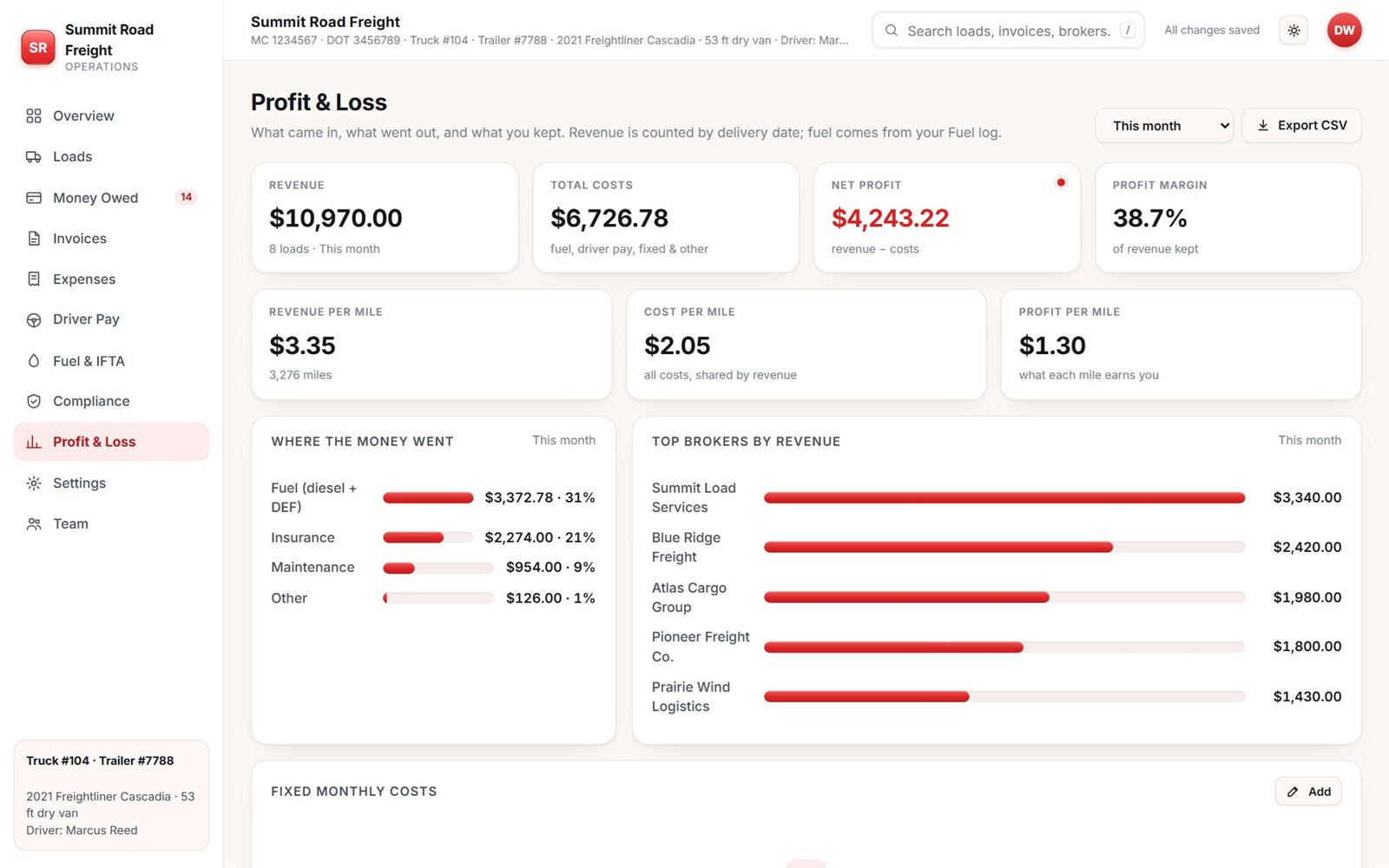
The small things.
- Compliance datesRegistration, insurance, IFTA and other renewals with due dates, and a flag when one is close.
- Your teamOwner, co-owner, dispatcher and driver logins, each seeing only what they should.
- ExportsLoads, fuel, expenses and pay to CSV, plus Excel and PDF on paid plans.
- On your phoneOpens in the browser and installs to your home screen. No app store.
- Your colour and logoOn the app and on your invoices.
So you are not surprised.
- No GPS trackingIt does not follow your truck.
- No IFTA filingIt gives you the estimate. You file the return.
- Not accounting softwareIt does not replace a bookkeeper or tax advice.
Run your next load on it.
14 days free. No card to start.