 FleetDesk
Get paid for every load. Without the spreadsheet.
FleetDesk keeps your loads, invoices, fuel and driver pay in one place. We built it for our own truck first.
Houston, TX → Conyers, GA · POD in · invoiced same day

Is this load worth it?
Type the rate, the miles and your diesel price. See what the load leaves you after your costs, and the lowest rate worth taking.
The old way vs. the FleetDesk way.
Same load, same week. What changes is how much of it you do by hand.
| The old way | With FleetDesk | |
|---|---|---|
| Rate con lands | It comes as an email attachment. You retype the broker, PO, rate and dates into your sheet. | Upload the rate con, PDF or photo. The load fills in. You check it and save. |
| Load runs | The driver texts you pickup times. The notes live in your phone. | Assign the load from a dropdown. The driver sees his loads, notes and pay. Nothing else. |
| POD comes in | A photo of the BOL sits in a text thread. | The driver uploads the BOL from his phone. It is attached to the load. |
| Invoice goes out | Sunday night. You build it in a template, then hunt for the rate con and the BOL. | The same day. One PDF with the invoice, rate con and BOL, and the email already written. |
| Broker pays | On day 40 you notice nobody paid. You dig through the sheet to see who. | Money Owed shows every broker and how many days they have had your money. |
| Quarter ends | Fuel receipts in the glovebox. You add up gallons by state at 11 at night. | Receipts are scanned as you fuel. Gallons by state are tallied. Add your miles and you have the IFTA estimate. |
The real app, one job at a time.
Every screenshot is the live product with a sample fleet. Nothing here is a mock-up.
Upload the rate con. The load fills in.
Drop in the rate con as a PDF or a photo. FleetDesk reads the broker, PO, route, dates and rate. You check it and save. One search box finds any PO, broker or city.
Replaces: retyping every rate con into a spreadsheet.
Loads: all plans · Rate con upload: Fleet, Pro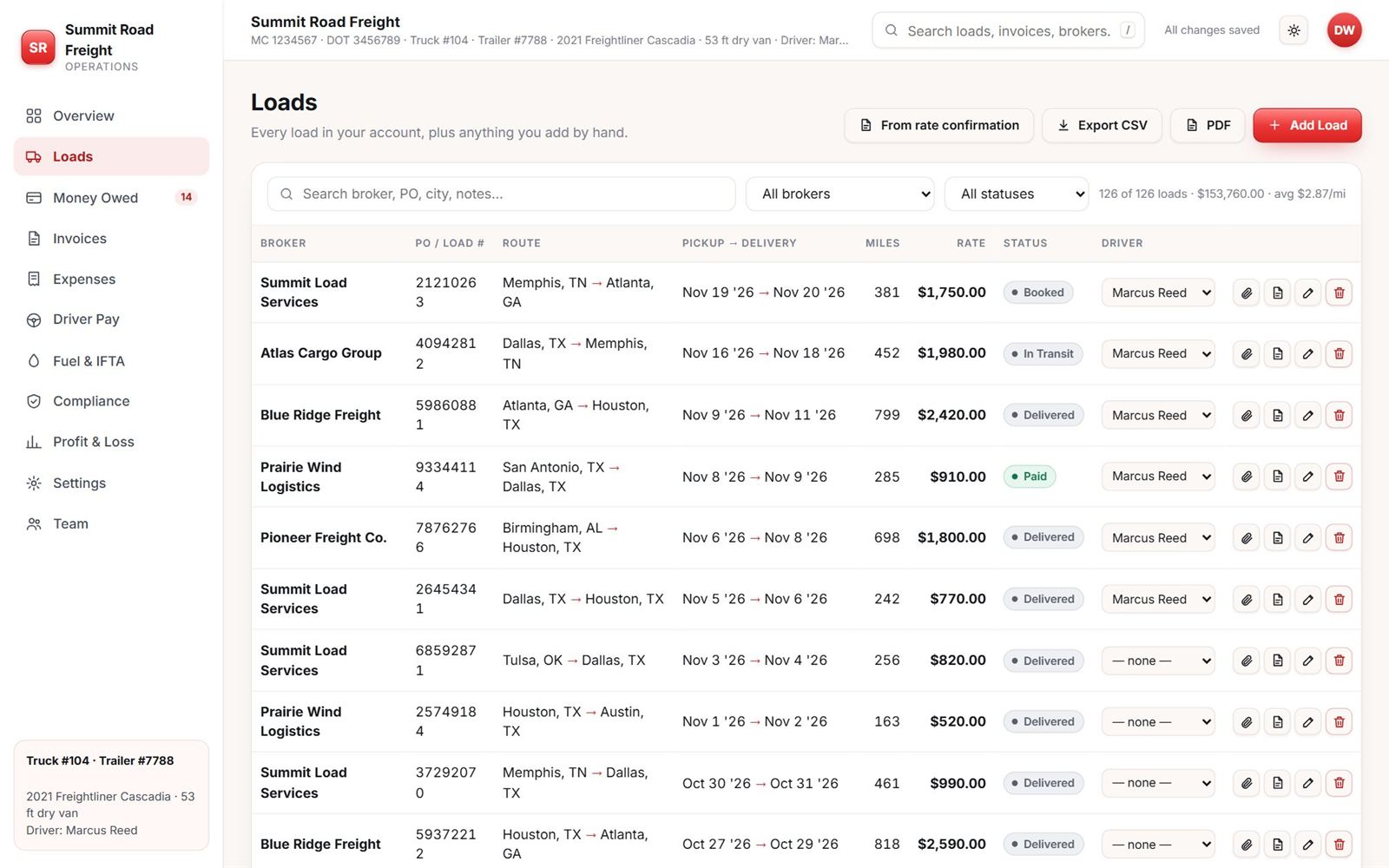
See who owes you, and for how long.
Every unpaid load by broker, grouped by how long it has been out: 0 to 15 days, 16 to 30, 31 to 60, over 60. When one runs late, a reminder to the broker is ready to send.
Replaces: the “who still owes me?” scroll through your sheet.
Money Owed: all plans · Reminders: Fleet, Pro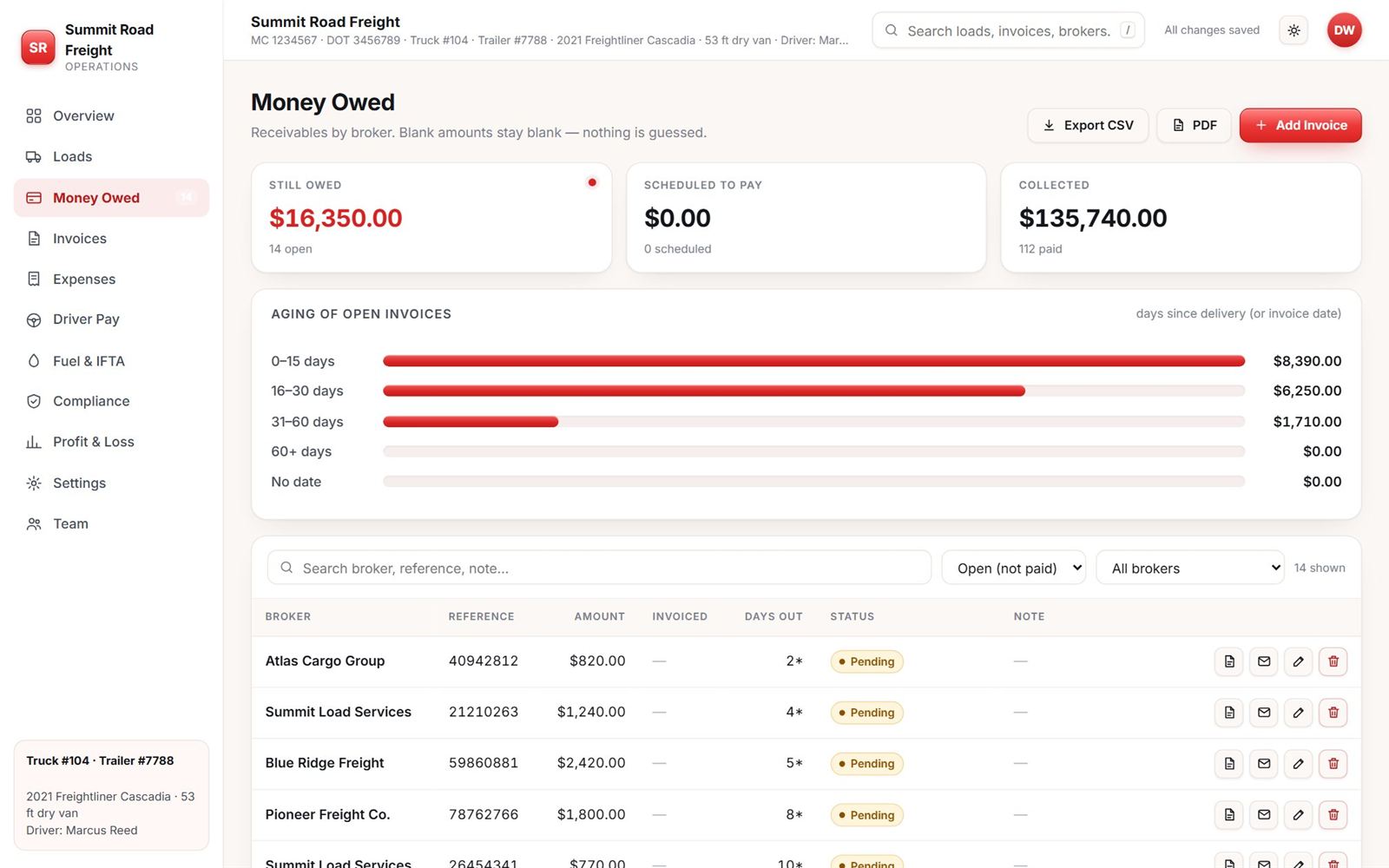
One PDF the broker can actually pay.
Pick the broker and the loads to bill. FleetDesk builds the invoice, puts the rate con and BOL in the same PDF and writes the email. It opens your mail app. You attach the PDF and press send.
Replaces: a Word template and a hunt for the signed rate con.
Create and send: Fleet, Pro · View: all plans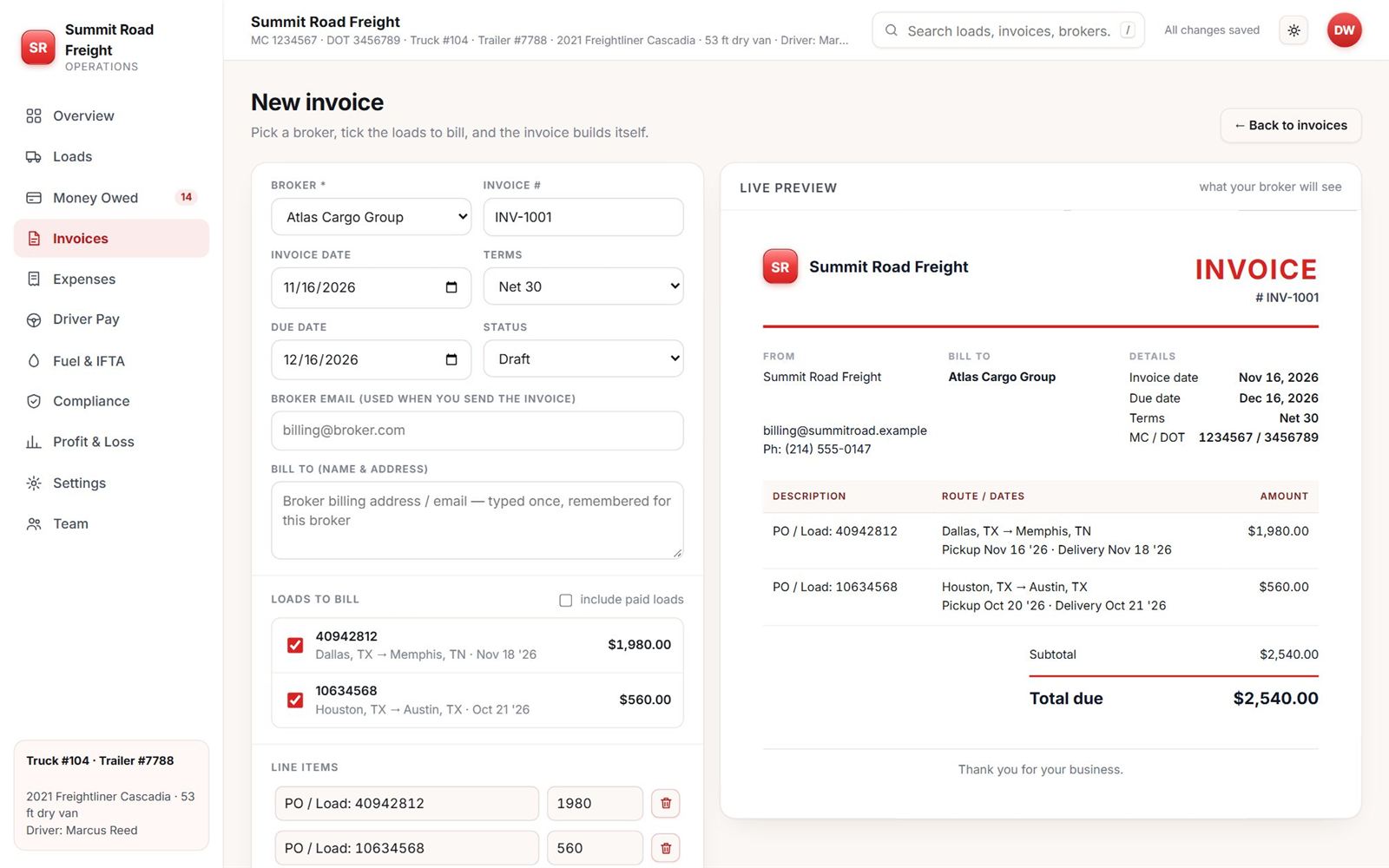
Know what the driver is owed.
Set a per-mile rate and a date range. The miles come from your loads. Record the payment and the next period starts where this one stopped. The $0.55 on screen is a setting in the sample fleet. You set your own.
Replaces: a calculator and a notes app.
Fleet, Pro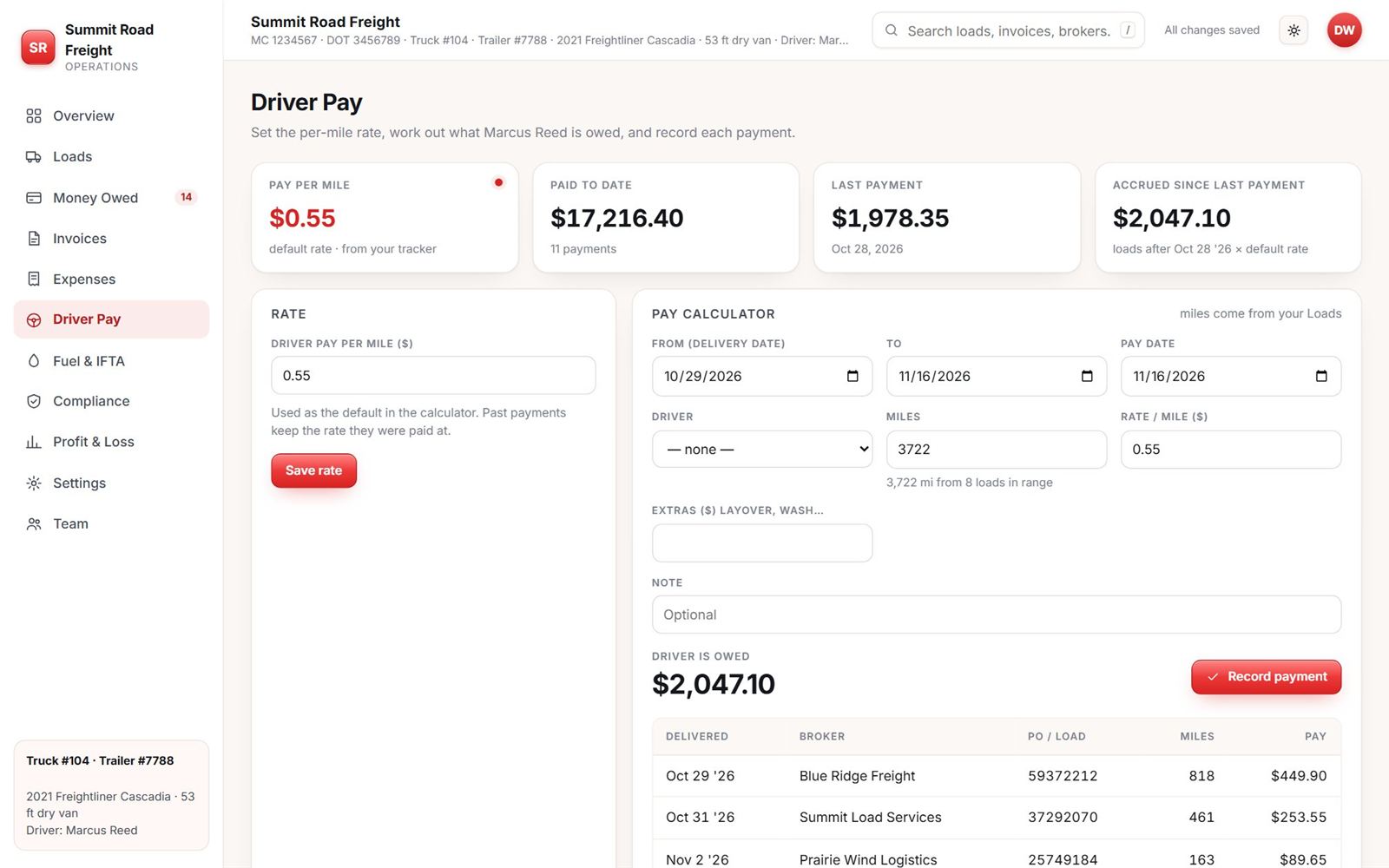
Scan the fuel receipt. Gallons by state add up.
Take a photo at the pump. Date, station, state, gallons and total fill in, and you confirm before it saves. Add your miles by state and you get the tax estimate for each state. FleetDesk does not file your IFTA return.
Replaces: a glovebox full of receipts.
Fuel log + IFTA estimate: all plans · Receipt scan: Fleet, Pro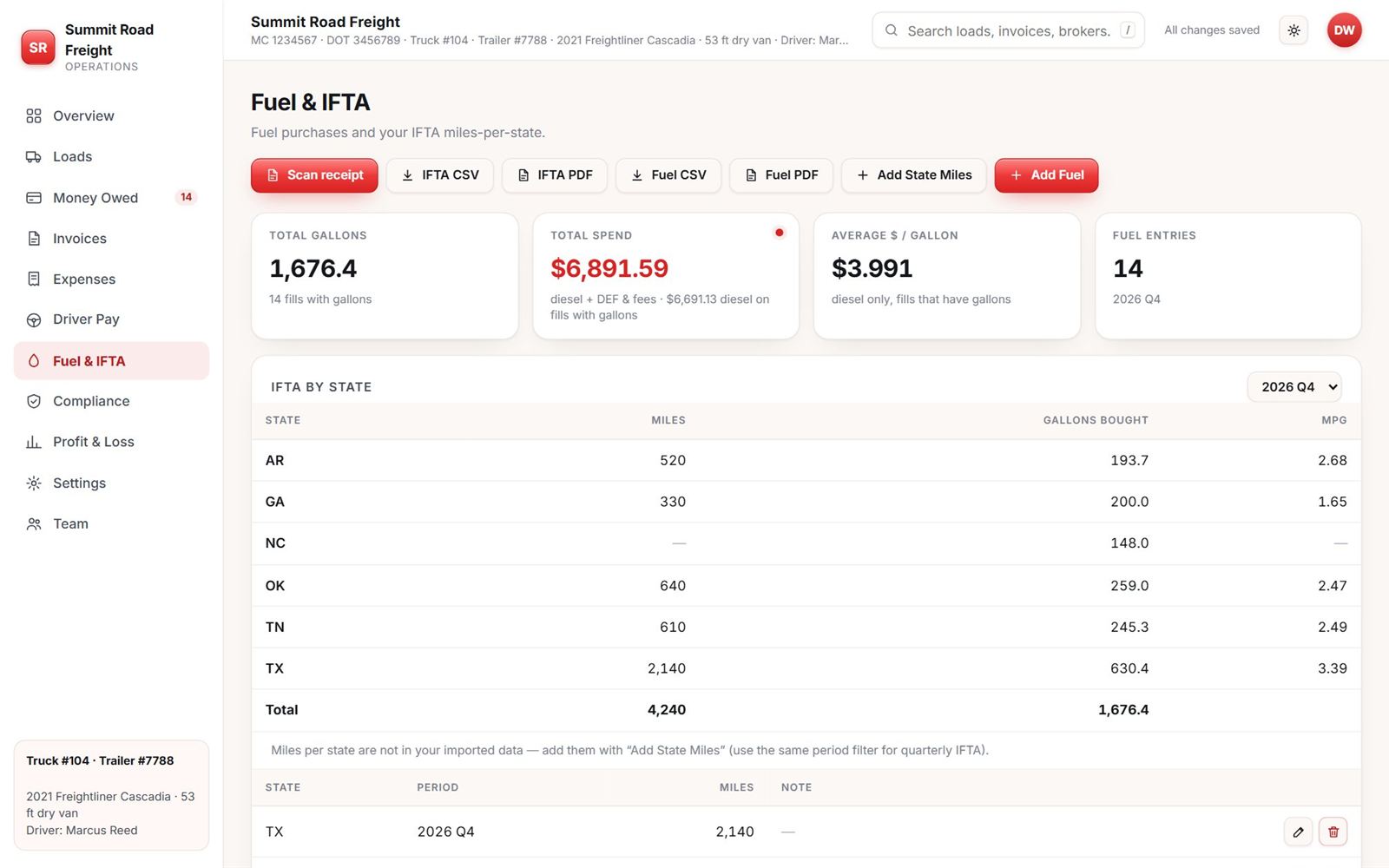
See what a load actually paid you.
Revenue minus fuel, driver pay and your fixed costs, by month and per mile. Not a tax return. A plain look at whether the truck made money.
Replaces: guessing from the bank balance.
Profit & Loss page: Pro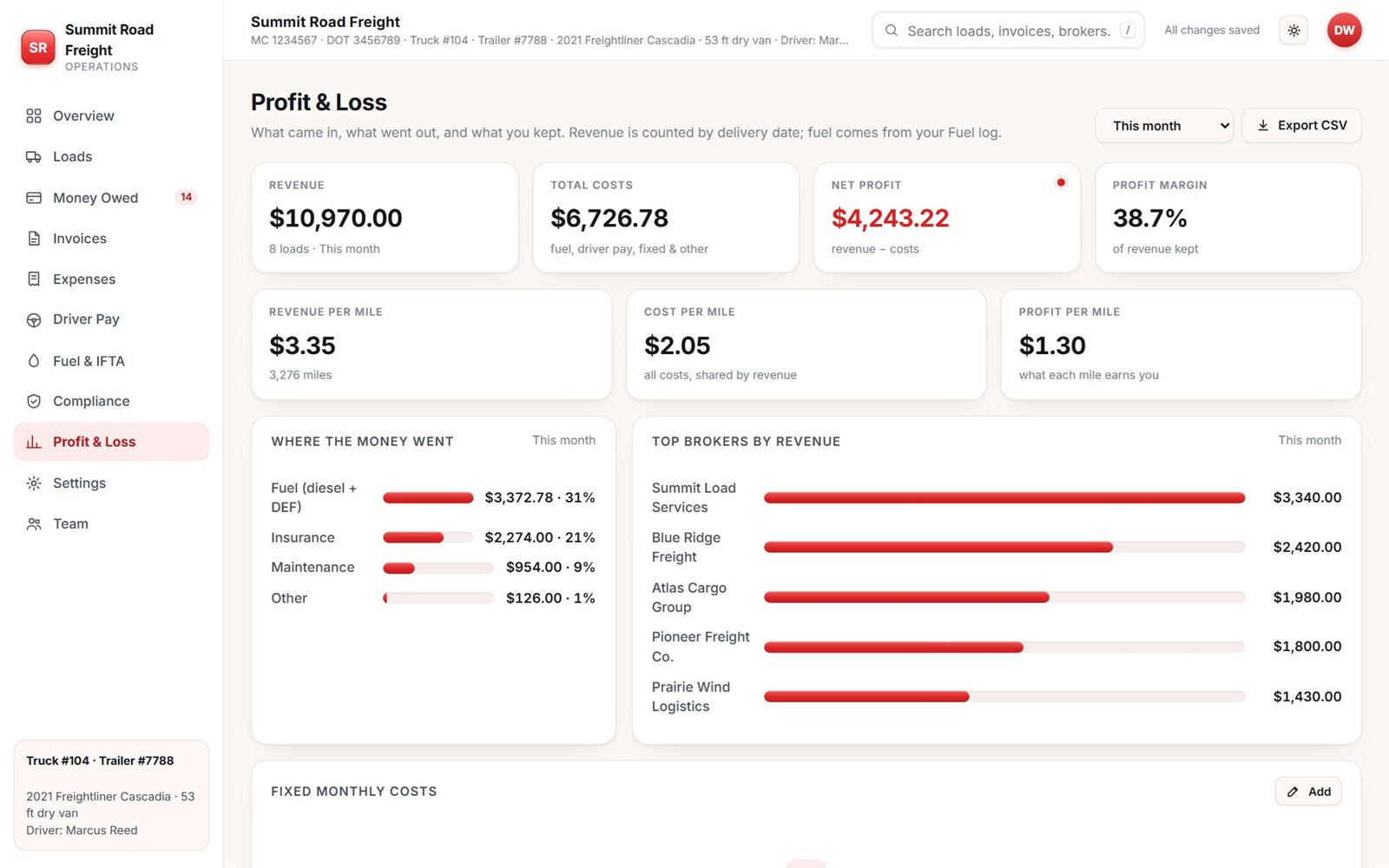
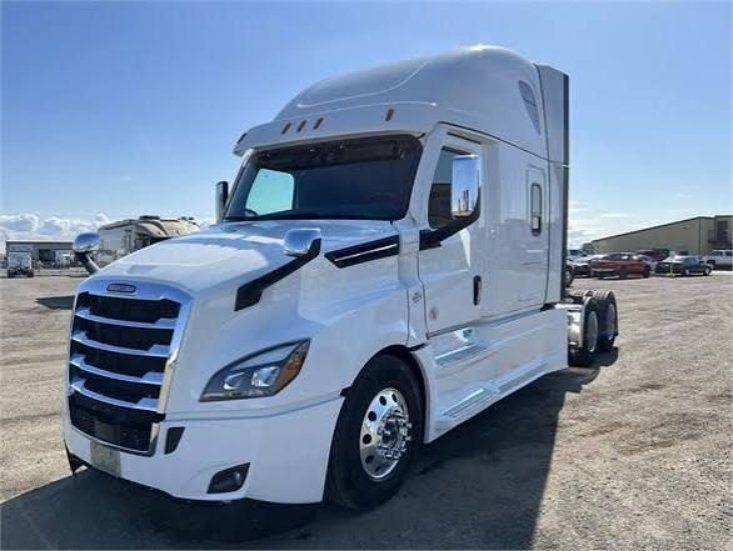
We run one truck out of Houston. We built this because chasing broker payments in a spreadsheet was costing us real money.
For a long time the business was a sheet, a pile of rate cons and a phone full of BOL photos. Invoices went out late. We did not always know who owed us what.
So we built the tool we wanted for our own truck. It works, so we opened it to other small fleets. If something does not work the way a trucker would expect, call or email and tell us.
AB Trucklines · Spring, Texas
Three plans. Pick by how many trucks you run.
Starter
One truck, just getting off spreadsheets.
1 truck · 1 login · up to 50 loads a month
Fleet
A few trucks, drivers with their own logins, invoices out the same day.
Up to 5 trucks & drivers · 10 logins · 500 loads a month
Pro
A bigger fleet that wants the profit picture, mile by mile.
Up to 20 trucks & drivers · unlimited logins · unlimited loads
US dollars. 14 days free on every plan, no card to start. See every feature by plan
What people ask first.
How long does setup take?
Most people are entering real loads within an hour. Start fresh, or upload a rate con and let it build the first load. Pro includes free help importing your spreadsheet.
Does it work on my phone?
Yes. Open it in your phone’s browser, then Add to Home Screen on iPhone or Install on Android. It opens full screen. No app store.
What can my drivers see?
Their own loads, their own pay and their own fuel. Not your rates, invoices, expenses or the other drivers. They can scan fuel receipts and upload a BOL from their phone.
Can it email the invoice to the broker?
It writes the email and builds one PDF with the invoice, the signed rate con and the BOL. Then it opens your mail app. A website can’t attach a file for you, so you drag the PDF in and press send.
Is my data private? Can I take it with me?
Each company’s data is kept separate behind your login, and documents sit in a private file store. You can export loads, fuel, expenses and pay to CSV or Excel any time.
Run your next load on it.
14 days free. No card to start.